The DNS Filtering interface is located under Security → DNS Filtering in the Scout dashboard.
It allows administrators to control which domains can be accessed within their protected network environment.
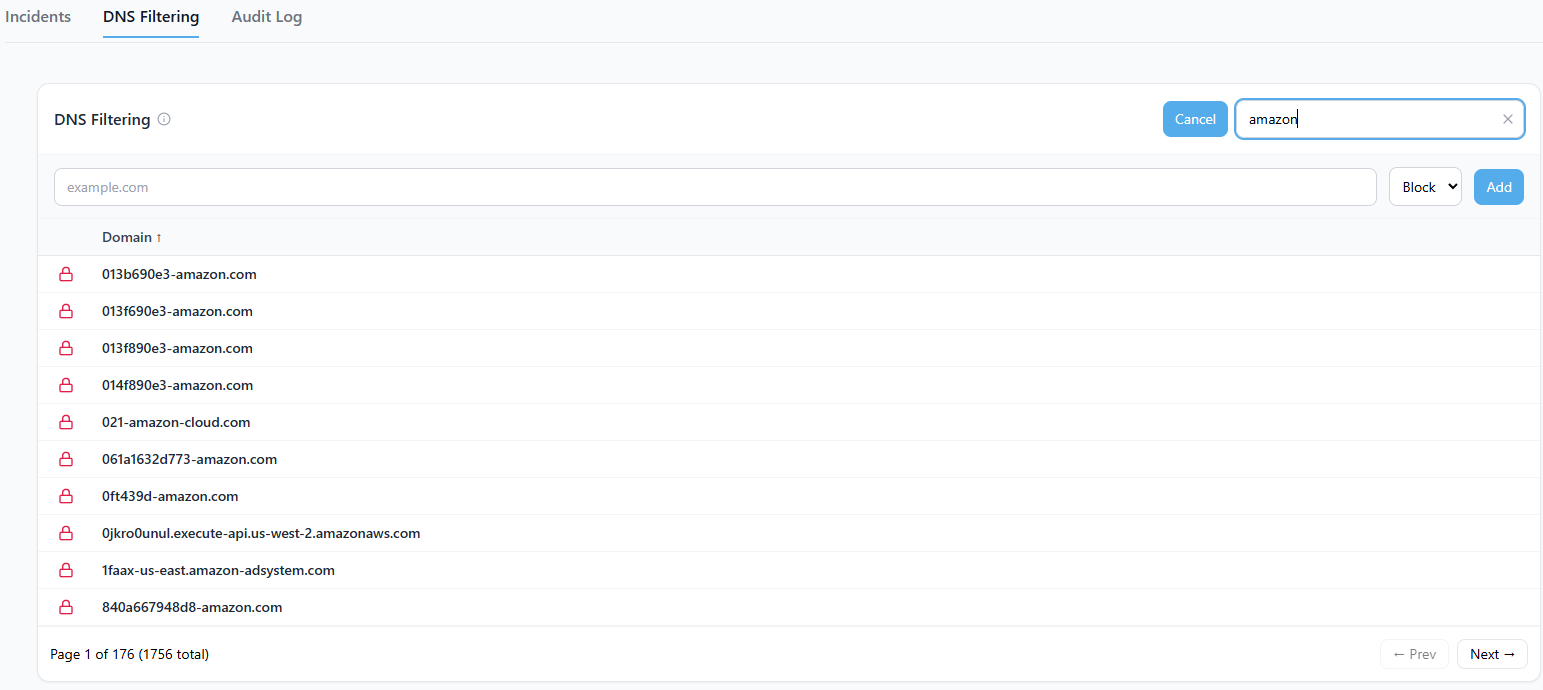
Overview
The DNS Filtering feature lets administrators centrally manage domain access for all VPN-connected devices. You can easily add, search, and toggle domain rules to enforce acceptable-use policies, block malicious destinations, or allow specific services your organization depends on.
Each rule includes:
- Domain: The hostname or domain to filter (for example,
example.com) - Action: Whether the domain should be Allowed or Blocked
- Mode: The type of match (exact or wildcard, depending on backend configuration)
Scout enforces these rules directly at the DNS layer through its secure filtering service, ensuring that every connected peer receives consistent protection.
How It Works
- All DNS queries from devices connected through the Scout VPN are sent to your tenant-specific DNS filtering service.
- Each query is checked against your organization’s domain rules table.
- Based on the rule match:
- Blocked: The query is intercepted and returned with a safe sinkhole response, preventing the connection.
- Allowed: The query is forwarded to the internet and logged for visibility.
Administrators can manage these rules directly from the DNS Filtering dashboard or programmatically through the API endpoint:
POST /api/security/dns
Why It Matters
DNS Filtering acts as a first line of defense, blocking unwanted or dangerous destinations before any network traffic is established. By enforcing policies at the DNS layer, organizations can:
- Prevent connections to malicious or deceptive domains
- Enforce acceptable-use standards for work or home environments
- Reduce the risk of phishing, malware, and data exfiltration
- Maintain centralized visibility and control over network activity
This system ensures that protection is consistent across every connected site, router, and remote user.
Tips and Best Practices
- Use wildcard entries (
*.example.com) carefully to avoid overblocking legitimate subdomains. - Periodically review and remove unused rules to keep your domain list clean and efficient.
- Combine DNS Filtering with threat-intelligence-driven blocklists for broader protection.
- After adding allow rules, test access carefully to confirm that only intended sites are reachable.
- Review the Top Blocked Domains card in your dashboard to identify repetitive or unnecessary blocked traffic.
DNS Filtering is applied in real time across all connected devices. Any new or updated rule takes effect immediately without requiring router restarts or software updates.